Site Lockdown Security is free on WordPress.org
Plugin Health
What it means: Plugin results help reveal outdated, abandoned, unknown, or suspiciously maintained software.
How to use it: Use this during audits and handoffs to decide what should be updated, replaced, or documented.
Software Health reviews installed plugins and themes for long-term maintenance concerns such as outdated, abandoned, unknown, or risky software. It helps site owners and support teams understand which components may be increasing exposure even when the site appears to be working normally.
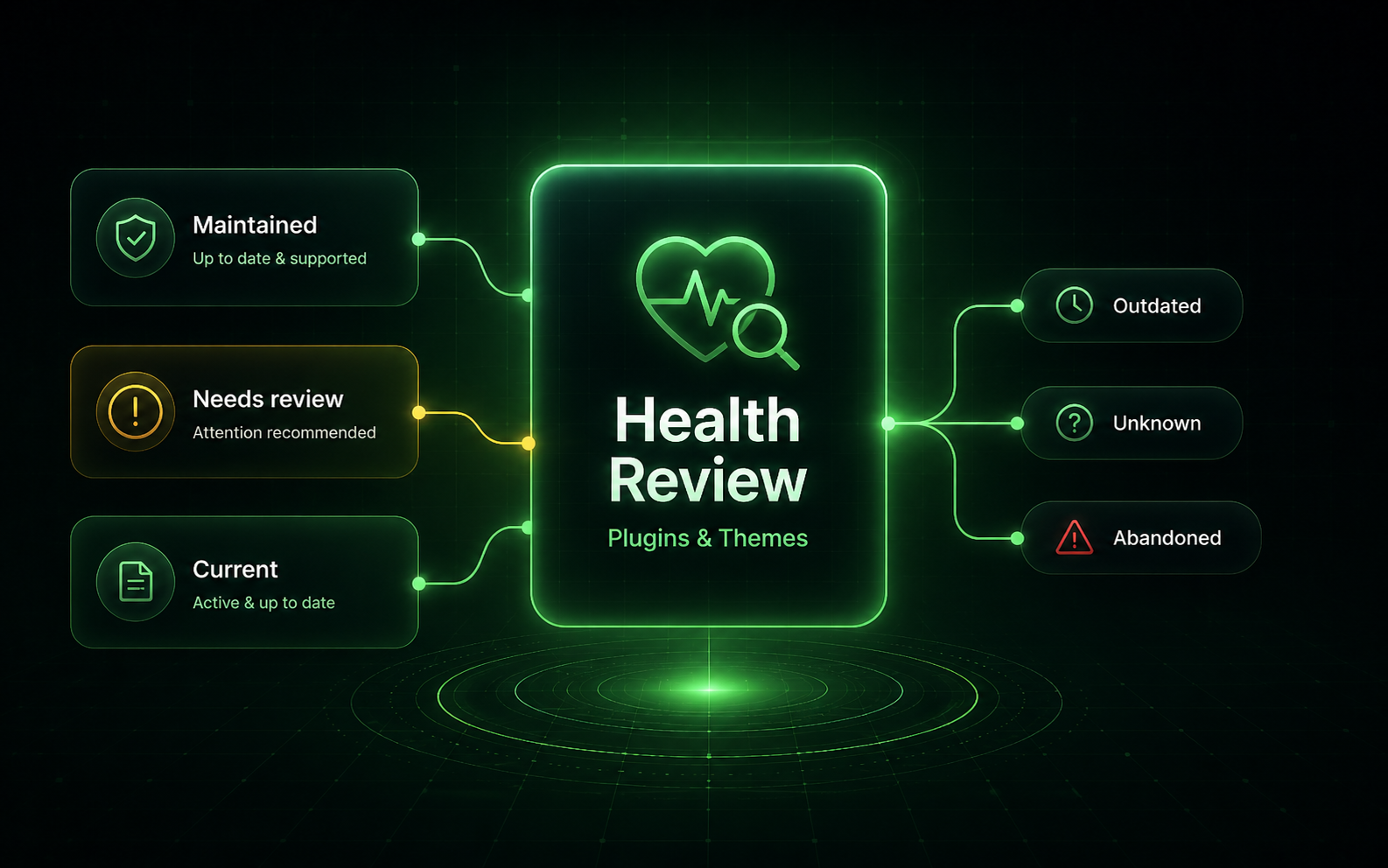
Software Health does not only ask whether a plugin or theme is currently working. It helps identify components that may become risky because they are no longer maintained, have not received updates, or cannot be confidently verified.
What it means: Plugin results help reveal outdated, abandoned, unknown, or suspiciously maintained software.
How to use it: Use this during audits and handoffs to decide what should be updated, replaced, or documented.
What it means: Theme review helps identify inactive or outdated themes that still live on the server and may need attention.
How to use it: Remove unused themes when safe, keep the active theme updated, and document intentional exceptions.
What it means: Some older software is required for compatibility, but it should not be ignored without context.
How to use it: Record why old software must remain and revisit it during future maintenance cycles.
What it means: Software Health gives technicians a prioritized list before stronger protections or lock settings are enabled.
How to use it: Use the report to clean up unnecessary components before locking down the site.
Important: A plugin or theme can still function while creating maintenance risk. Review exceptions intentionally.
Install Site Lockdown Security and get Premium WordPress protection at no cost.